Node Types
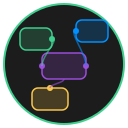
NodeUI ships with eight node types, each designed for a specific role on the canvas. Every node type extends BaseNode and inherits common capabilities such as positioning, resizing, connection handles, color theming, and pinning.
Overview
| Node Type | Purpose | Default Size |
|---|---|---|
| BaseNode | General-purpose node with markdown content | 200 x 120 |
| GroupNode | Visual container for organizing collections of nodes | 400 x 300 |
| RoutingNode | Minimalist waypoint for redirecting edge paths | 30 x 30 |
| LogNode | Real-time event log for debugging | 400 x 300 |
| SettingsNode | Application configuration and theme editor | 450 x 600 |
| SubGraphNode | Nested graph container with drill-down navigation | 300 x 200 |
| ThreeJSNode | Full 3D viewport with scene graph and timeline | 800 x 600 |
| ImageSequenceNode | Frame-by-frame image sequence player | 300 x 200 |
Shared Features
All node types inherit the following from BaseNode:
- Connection handles on all four sides (top, right, bottom, left) for creating edges between nodes
- Resize handles on all eight directions (N, S, E, W, NW, NE, SW, SE)
- Color theming with six variants:
default,red,green,blue,yellow,purple - Pin toggle to lock a node in place and prevent accidental dragging
- Popover menu for renaming, recoloring, and deleting nodes
- Unique ID generated automatically via
crypto.randomUUID()
Creating Nodes
Nodes are typically added through the canvas context menu. Each node type registers its own constructor defaults, so you get sensible dimensions and titles out of the box.
TIP
You can change a node's color at any time through the popover menu (click the settings icon in the title bar) or by clicking the color-cycle icon.