Edge System
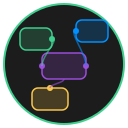
The edge system spans two classes: Edges in src/core/edges.js manages interaction state (drawing, cutting, routing), while BaseEdge in src/nodes/baseedge.js represents the data model and SVG rendering of a single edge.
BaseEdge
BaseEdge is the data model for an edge connecting two nodes. It holds connection metadata, routing points, and references to its SVG DOM elements.
Constructor Options
javascript
const edge = new BaseEdge({
  id: 'edge-001',           // Unique ID (auto-generated if omitted)
  startNodeId: 'node-a',    // Source node ID
  endNodeId: 'node-b',      // Target node ID
  startHandleId: 'right',   // Handle position on source: top | bottom | left | right
  endHandleId: 'left',      // Handle position on target: top | bottom | left | right
  type: 'BaseEdge',         // Edge type identifier
  label: 'data flow'        // Optional text label displayed at midpoint
});| Property | Type | Default | Description |
|---|---|---|---|
id | string | UUID | Unique identifier |
startNodeId | string | null | ID of the source node |
endNodeId | string | null | ID of the target node |
startHandleId | string | null | Handle position on source node |
endHandleId | string | null | Handle position on target node |
startPosition | {x, y} | null | Calculated pixel position of start handle |
endPosition | {x, y} | null | Calculated pixel position of end handle |
routingPoints | Array<{x, y}> | [] | Intermediate waypoints for the path |
type | string | 'BaseEdge' | Type identifier for serialization |
label | string | '' | Text label rendered at the path midpoint |
Rendering
BaseEdge.render(svgGroup) creates the SVG elements and appends them to the canvas:
javascript
edge.render(nodeUI.canvasGroup);Each edge creates four SVG elements inside a <g> group:
- Visible path (
edge.element) -- The styled bezier curve with arrowhead marker - Hit area (
edge.hitArea) -- A thicker, invisible path for easier mouse interaction - Label background (
edge.labelBackgroundElement) -- A rounded<rect>behind the text - Label text (
edge.labelElement) -- An SVG<text>element at the path midpoint
Handle Positions
Nodes expose four connection handles. Each handle has a position identifier that determines the direction of the bezier curve:
         top
          |
  left ---+--- right
          |
        bottom
When you create an edge, the startHandleId and endHandleId values control the curve direction. An edge from right to left produces a horizontal S-curve. An edge from bottom to top produces a vertical S-curve.
Edges (Interaction Manager)
The Edges class in src/core/edges.js manages three types of mouse interactions on the canvas: drawing new edges, cutting edges with a line, and dragging routing points.
Edge Drawing
Edge drawing is the process of creating a new connection by dragging from one node's handle to another.
State
javascript
edges.edgeDrawingState = {
  isDrawing: false,            // Whether a draw operation is in progress
  startNodeId: null,           // Source node ID
  startHandlePosition: null,   // Handle position (top/bottom/left/right)
  startPosition: null,         // Pixel coordinates of the start handle
  tempEdgeElement: null        // Temporary SVG path shown during drag
};
Methods
startDrawingEdge(nodeId, handlePosition)
Begins drawing from a specific node handle. Creates a temporary SVG path element styled with the source node's color.
javascript
edges.startDrawingEdge('node-abc', 'right');updateDrawingEdge(endX, endY)
Updates the temporary path to follow the mouse cursor. Call this on every mousemove during a draw operation.
javascript
edges.updateDrawingEdge(mouseX, mouseY);endDrawingEdge(endNodeId, endHandlePosition)
Completes the edge if the drop target is valid. Publishes an edge:create event and cleans up the temporary path. Self-connections (same source and target node) are rejected.
javascript
edges.endDrawingEdge('node-def', 'left');cancelDrawingEdge()
Aborts the current draw operation and removes the temporary path.
isDrawing()
Returns true if an edge draw is currently in progress.
Routing Cut
Routing cut lets you draw a line across an existing edge to insert a routing waypoint at the intersection.
State
javascript
edges.routingCutState = {
  isRouting: false,   // Whether a cut operation is in progress
  cutLine: null       // The SVG line element
};
Methods
| Method | Description |
|---|---|
startRoutingCut(event) | Begins drawing the cut line from the mouse position |
updateRoutingCut(event) | Extends the cut line as the mouse moves |
endRoutingCut() | Completes the cut and inserts a routing point at the intersection |
getRoutingCutState() | Returns the current routing cut state |
TIP
Activate routing cut by holding the R key and dragging across an edge. A routing node appears at the intersection point.
Edge Routing (Point Dragging)
After routing points exist on an edge, you can drag individual points to reshape the path.
State
javascript
edges.routingState = {
  isRouting: false,   // Whether a routing point drag is in progress
  edgeId: null,       // The edge being modified
  pointIndex: -1      // Index of the routing point being dragged
};
Methods
startEdgeRouting(edgeId, pointIndex)
Begins dragging a specific routing point on an edge.
javascript
edges.startEdgeRouting('edge-001', 0); // Drag the first routing pointupdateEdgeRouting(event)
Moves the routing point to the current mouse position and re-renders the edge.
endEdgeRouting()
Completes the routing point drag.
Edge Lifecycle
Here is the full lifecycle of an edge, from creation to deletion:
- User drags from a node handle --
Edges.startDrawingEdge()creates a temporary path - User drops on another node's handle --
Edges.endDrawingEdge()publishesedge:create - Main module receives the event, creates a
BaseEdgeinstance, and callsedge.render() - Canvas calculates the bezier path and applies it with
canvas.updateEdge() - User moves a connected node --
canvas.updateEdge()recalculates the path - User deletes the edge --
edge:deleteevent fires, the SVG group is removed
Edge Data in Collaboration
When edges sync over WebSocket, they serialize to this shape:
javascript
{
  id: 'edge-001',
  startNodeId: 'node-a',
  endNodeId: 'node-b',
  startHandleId: 'right',
  endHandleId: 'left',
  type: 'BaseEdge',
  label: 'data flow',
  routingPoints: [{ x: 250, y: 175 }]
}
WARNING
Routing points use absolute canvas coordinates. If you programmatically create edges with routing points, ensure the coordinates are in the same coordinate space as node positions.