Introduction
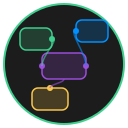
NodeUI is a serverless, node-based visual programming interface for creating interactive graphs and 3D visualizations. It runs entirely in your browser -- no build tools, no dependencies, no installation.
Open index.html and start building.
Why NodeUI
Most visual programming tools demand a complex setup: package managers, build pipelines, runtime dependencies. NodeUI removes all of that. It is a single application built with vanilla JavaScript that works directly from the file system.
You get a professional-grade node editor with zero friction.
Key Highlights
Zero Installation
There is no npm install. There is no build step. Clone the repo (or download a ZIP), open index.html in any modern browser, and you are running NodeUI. It works from a local file path or any static web server.
No Dependencies
NodeUI is written in pure vanilla JavaScript. External libraries like Three.js and Marked.js are loaded from CDNs on demand -- they are never bundled into the project. Your setup has zero moving parts.
Real-time Collaboration
Connect multiple users to the same graph through WebSocket-based sessions. See live cursor positions, synchronized node operations, and presence indicators. Collaboration is optional -- NodeUI works fully offline by default.
Professional Features
- Timeline animation with keyframe support at 24fps
- 3D viewport powered by Three.js with full camera controls
- Nested graphs via SubGraph nodes with breadcrumb navigation
- Markdown content inside nodes
- Context menus for every element
- Auto-save to local storage
High Performance
GPU-accelerated 3D rendering, lazy-loaded libraries, batched render updates during drag operations, and throttled events keep NodeUI responsive even with complex graphs.
Node Types
NodeUI ships with a set of built-in node types:
| Node Type | Purpose |
|---|---|
| BaseNode | Standard node with markdown content support |
| GroupNode | Container for organizing node collections |
| RoutingNode | Minimalist node for edge path management |
| LogNode | Real-time event logging and debugging |
| SettingsNode | Application configuration and preferences |
| SubGraphNode | Nested graph with independent state |
| ThreeJSNode | Full 3D viewport with Three.js integration |
| ImageSequenceNode | Frame-by-frame image animation |
Browser Requirements
- Modern browser with ES6+ support (Chrome/Edge 90+, Firefox 88+, Safari 14+)
- WebGL for 3D features
- IndexedDB for file storage
- WebSocket support for collaboration (optional)
Next Steps
- Quick Start -- Get up and running in under a minute
- Basic Operations -- Learn the core interactions
- Keyboard Shortcuts -- Speed up your workflow
- File Format -- Understand the JSON graph format